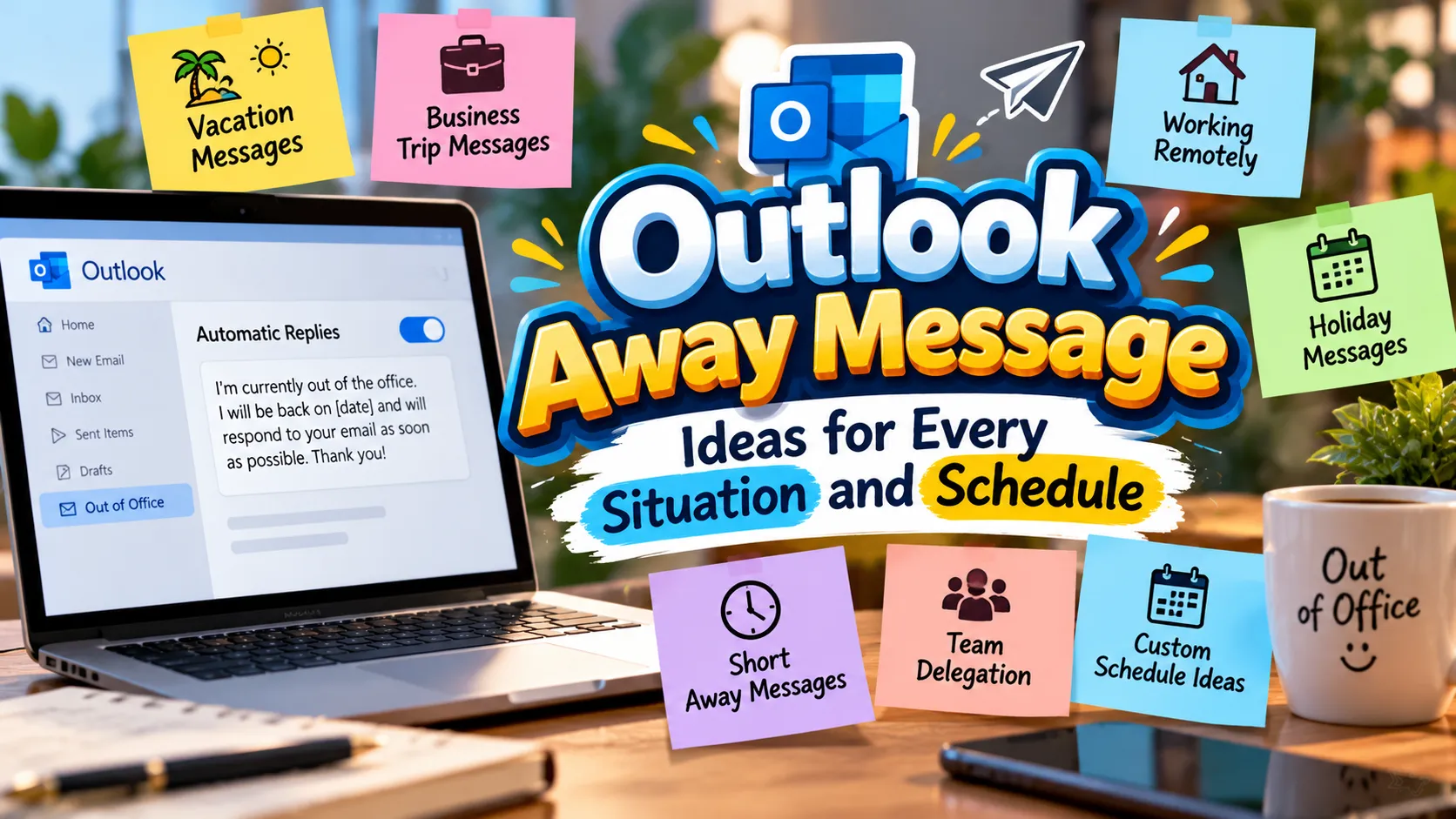
An outlook away message helps you communicate professionally when you cannot respond to emails right away. Whether you’re taking a vacation, attending meetings, working remotely, or enjoying a well-deserved break, the right message keeps everyone informed. It also helps colleagues and clients understand when they can expect a reply.
However, writing an automatic email reply isn’t always as simple as it sounds. You want your message to sound natural, provide useful information, and match your workplace culture. A formal message works well for clients, while a friendly response may suit your teammates. Likewise, a short vacation reply can save time without sharing unnecessary personal details. Choosing the right words makes your absence easier for everyone to manage.
In this guide, you’ll find a wide collection of Outlook away message examples for different situations. These include professional out-of-office replies, vacation notices, sick leave messages, holiday responses, and short automatic email replies. You’ll also discover options for urgent requests, unexpected absences, business travel, and limited email access. Each example offers a starting point you can adapt to your schedule and communication style. By the end, you’ll have plenty of ideas for creating an automatic reply that sounds clear, considerate, and professional.
How Do You Write an Outlook Away Message That Sounds Professional?
A professional Outlook away message tells people you’re unavailable, explains when you’ll return, and provides an alternative contact when necessary.
Keep your wording brief, polite, and easy to understand. Include your expected return date when possible.
For example: “Thank you for your email. I’m currently out of the office and will return on Monday. I’ll respond as soon as possible after my return. For urgent matters, please contact my colleague.”
Professional Outlook Away Message Examples for the Workplace
A professional automatic reply helps you maintain a positive impression while you’re unavailable. Use these examples when communicating with clients, managers, coworkers, or business partners.
- Thank you for your email. I’m currently out of the office and will respond upon my return.
- Thank you for reaching out. I’ll be unavailable until Monday and will reply as soon as possible.
- I’m currently away from work. Please expect a response when I return.
- Thank you for your message. I’ll review your email after returning to the office.
- I’m out of the office today and will respond to your message tomorrow.
- Thank you for contacting me. I’ll be back on October 28 and will reply shortly afterward.
- I’m currently unavailable. For urgent assistance, please contact my team.
- Thank you for your email. I’ll respond during my next available working hours.
- I’m away from my desk and may not respond immediately.
- Thank you for getting in touch. I’ll follow up once I’m back in the office.
- I’m currently out of the office with limited access to email.
- Your message is important to me. I’ll respond as soon as I’m available.
- I’m unavailable at the moment and will reply when I return.
- Thank you for your patience. I’ll address your message after my absence.
- I’m away from work until Friday. I’ll respond to pending emails upon my return.
- Thank you for contacting me. I’ll get back to you during regular business hours.
- I’m currently unavailable for email correspondence. I’ll respond as soon as possible.
- I’m out of the office attending to work commitments and will reply later.
- Thank you for your message. I’ll follow up after reviewing my inbox.
- I’m away until further notice. Please contact our main office for immediate assistance.
- Thank you for your email. I’ll respond after my scheduled absence.
- I’m currently on leave and will return to your message when I’m back.
- Your email has been received. I’ll respond when I’m available again.
- I’m away from the office and will reply during my next working day.
- Thank you for reaching out. I’ll address your inquiry upon my return.
- I’m currently unavailable. Please allow additional time for my response.
- I’ll be away from the office through Thursday and will respond Friday.
- Thank you for your email. I’ll follow up at the earliest opportunity.
- I’m out of the office today. For assistance, please contact our support team.
- I’m currently away and will review your message upon returning.
- Thank you for your patience while I’m away from work.
- I’m unavailable this week and will respond when I return.
- I’m away from email for the day. I’ll reply during my next working session.
- Thank you for contacting me. I’ll respond as soon as my schedule allows.
- I’m currently out of the office. I appreciate your understanding and patience.
Short Outlook Away Message Ideas for Quick Replies
Sometimes a short message communicates everything people need to know. These concise options work well when you want an automatic response without unnecessary details.
- I’m currently out of the office. I’ll reply soon.
- Away from email until Monday. Thank you for your patience.
- I’m unavailable today and will respond tomorrow.
- Thanks for your email. I’ll reply when I return.
- I’m away right now. I’ll get back to you soon.
- Out of office until Friday. I’ll respond afterward.
- I’m currently on leave. Thank you for understanding.
- Away from my desk. I’ll reply when available.
- Thanks for reaching out. I’ll respond upon my return.
- I’m away from email for the day.
- Currently unavailable. I’ll reply as soon as possible.
- I’m out today and will return tomorrow.
- Away until October 30. I’ll respond after returning.
- Thanks for your message. I’ll follow up shortly.
- I’m taking time away from work. I’ll reply later.
- Out of office today. Thank you for your patience.
- I’m unavailable until Monday morning.
- I’ll respond once I’m back online.
- Away from work. I’ll reply during business hours.
- Thanks for your email. I’ll be in touch soon.
- I’m currently away and will respond later.
- Out of office. Please expect a delayed response.
- I’m away this afternoon. I’ll reply tomorrow.
- I’ll respond when I return to the office.
- Away from my inbox until further notice.
- I’m currently unavailable for email.
- Thanks for your patience while I’m away.
- I’ll be back soon and will respond then.
- I’m away today. I’ll check your message later.
- Out of office until further notice.
- I’ll reply during my next working day.
- I’m currently on vacation. I’ll respond afterward.
- Away from email until Thursday.
- Thanks for contacting me. I’ll reply soon.
- I’m unavailable right now. I’ll follow up later.
Funny Outlook Away Message Examples That Stay Workplace-Friendly
A little humor can make an automatic email response more memorable. Choose these playful options for friendly teams and familiar colleagues, rather than formal client communications.
- I’m out of the office, giving my inbox a chance to miss me.
- My desk and I are taking a short break from each other.
- I’m away today. My inbox is keeping itself company.
- I’m currently unavailable and pretending my email doesn’t exist.
- I’ve stepped away from my keyboard. It seems to be managing fine.
- I’m out of office, but my emails are still having meetings.
- I’m away recharging my professional battery.
- My inbox and I will reunite when I return.
- I’m currently out of the office, pursuing the elusive work-life balance.
- I’ve traded emails for fresh air. I’ll return soon.
- I’m away today. Please tell my inbox to behave.
- My out-of-office mode is on. My coffee machine is celebrating.
- I’m taking a break before my emails start multiplying.
- I’m away from work, but my inbox clearly isn’t taking a vacation.
- I’m unavailable while conducting important research into relaxation.
- I’ve stepped away to remember what weekends feel like.
- My keyboard is enjoying some well-earned time off.
- I’m out of office. Please hold all dramatic email developments.
- I’m currently away, letting my unread messages build character.
- I’ve temporarily escaped the meeting invitation universe.
- I’m out today. My chair has agreed to cover for me.
- I’m away from my desk. The emails can practice patience.
- My inbox is on its own until I return.
- I’m taking a break from screens and subject lines.
- I’m away, but my automatic reply is doing all the talking.
- I’ve logged off to experience life beyond notifications.
- I’m out of the office. Please don’t let the spreadsheets panic.
- I’m away enjoying a temporary inbox-free lifestyle.
- My laptop and I are taking some personal space.
- I’m currently unavailable for professional plot twists.
- I’ve stepped away from email to touch some grass.
- I’m out today. Please save the exciting spreadsheets for my return.
- My inbox is waiting for its main character to return.
- I’m away from work, where even my email signature gets a break.
- I’m out of office until my scheduled return. My inbox knows the drill.
Vacation Outlook Away Message Examples for a Relaxing Break
A vacation reply lets senders know you’re enjoying time away and when they can expect a response. Include a return date and an alternate contact if urgent requests need attention.
- Thank you for your email. I’m on vacation until November 2 and will respond after returning.
- I’m currently enjoying vacation time and will return to work on Monday.
- Thanks for reaching out. I’m away on vacation and will reply when I’m back.
- I’m taking a well-deserved break and will return on October 30.
- I’m out of the office on vacation with limited email access.
- Thank you for your message. I’ll respond after my vacation ends.
- I’m away enjoying some personal time. I’ll return next week.
- I’m on annual leave until Friday and will reply afterward.
- I’m currently on holiday. For urgent requests, please contact our support team.
- Thanks for your email. I’ll be back from vacation on Monday.
- I’m away from work and will not regularly monitor my inbox.
- I’m taking vacation leave and will respond after November 5.
- I’m currently out enjoying a break. I’ll reply upon my return.
- Thank you for your patience. I’m away on vacation until Thursday.
- I’m taking time off and will check emails when I return.
- I’m away on a short holiday and will respond next week.
- I’m out of office for vacation. Please contact my colleague for urgent matters.
- I’ll be away enjoying personal time until October 29.
- I’m on vacation and will respond to all pending messages afterward.
- Thanks for contacting me. I’ll return from leave next Wednesday.
- I’m taking a break from work and email until Monday.
- I’m away on vacation with no regular access to my work inbox.
- Thank you for your email. I’ll follow up after my holiday.
- I’m currently on leave. I’ll be available again on November 1.
- I’m away enjoying a vacation. Thank you for your understanding.
- I’ll be back at work after my scheduled vacation.
- I’m out of office this week and will reply when I return.
- I’m away for a few days. I’ll address your email afterward.
- Thanks for your message. I’m on leave until the end of the week.
- I’m currently taking vacation time and will respond next Monday.
- I’m away from work until November 3. I’ll reply after returning.
- I’ll be unavailable during my vacation and will respond afterward.
- Thank you for reaching out. I’m away on annual leave.
- I’m enjoying a short break and will return to my inbox soon.
- I’m out of office for vacation. I’ll reply as soon as I can after returning.
Friendly Outlook Away Message Examples for Coworkers
A friendly automatic reply can sound warm without losing its professional touch. These messages suit colleagues who appreciate a conversational tone and clear expectations.
- Hi there! I’m away today and will get back to you when I’m back.
- Thanks for the message! I’ll reply after I return to work.
- Hello! I’m currently out of the office until Monday.
- Thanks for reaching out. I’ll catch up with your email soon.
- Hi! I’m away from my desk and will respond later.
- Thanks for your patience while I’m taking some time off.
- Hello! I’ll be back on Friday and will reply then.
- Thanks for dropping me a message. I’ll respond when I’m available.
- Hi there! I’m away from email for the rest of the day.
- Thanks for getting in touch. I’ll follow up when I’m back.
- Hello! I’m out today, but I’ll respond as soon as I return.
- Thanks for your email. I appreciate your patience.
- Hi! I’m taking a short break and will reply afterward.
- I’m away for a few days. Looking forward to catching up soon.
- Thanks for your message! I’ll get back to you next week.
- Hello! I’m currently on leave and will return shortly.
- Hi there! I’ll respond once I’m back at my desk.
- Thanks for contacting me. I’ll catch up with you after my absence.
- I’m away from work today. Have a great day!
- Hello! I’m unavailable right now but will reply soon.
- Thanks for the email. I’ll take a look when I return.
- Hi! I’m out of office until Thursday. Talk soon.
- I’m away from my inbox, but I’ll follow up when I’m back.
- Thanks for reaching out. I’ll be in touch after my break.
- Hello! I’m currently away and appreciate your understanding.
- Hi there! I’ll reply during my next working day.
- I’m out today and will catch up with everyone tomorrow.
- Thanks for your message. I’ll respond when I have access to email.
- Hello! I’m taking some personal time and will return soon.
- Hi! I’ll be back in the office next week.
- Thanks for your patience. I’ll catch up on messages after returning.
- Hello! I’m away right now. I’ll reply as soon as I’m available.
- Hi there! My inbox will have to wait until I return.
- Thanks for emailing. I’ll respond after my time away.
- Hello! I’m out of the office and will reconnect soon.
Formal Outlook Away Message Examples for Clients and Customers
Client-facing automatic replies should prioritize clarity, courtesy, and reliability. These examples help you set expectations while maintaining a professional business relationship.
- Thank you for contacting me. I’m currently unavailable and will respond upon my return.
- Thank you for your inquiry. I’ll be back in the office on Monday.
- I appreciate your email. Please expect a response after my scheduled absence.
- Thank you for reaching out. For urgent assistance, please contact our customer service team.
- I’m currently out of the office and will respond to your inquiry when I return.
- Thank you for your correspondence. I’ll follow up at the earliest opportunity.
- I appreciate your patience while I’m away from the office.
- Thank you for your message. I’ll review your request upon my return.
- I’m unavailable until October 31. Please contact our office for immediate support.
- Thank you for contacting our team. I’ll respond during regular business hours.
- Your inquiry has been received. I’ll follow up after returning to work.
- Thank you for your patience. I’m currently away on scheduled leave.
- I’m temporarily unavailable. Please direct urgent matters to our support department.
- Thank you for your email. I’ll respond as soon as I’m back in the office.
- I appreciate your message. I’ll address your inquiry after my absence.
- I’m out of the office until Friday. Our team remains available for urgent requests.
- Thank you for contacting me. I look forward to assisting you upon my return.
- I’m currently unavailable for business correspondence. I’ll respond shortly after returning.
- Thank you for your inquiry. Please contact our main office for immediate assistance.
- I appreciate your email and will respond when I’m available again.
- Thank you for reaching out. I’ll review your request once I’m back.
- I’m currently away from the office. Please allow additional time for a response.
- Thank you for your patience. I’ll follow up after my scheduled leave.
- I’m unavailable today. For time-sensitive matters, please contact our designated representative.
- Thank you for your message. I’ll return to your inquiry upon resuming work.
- I’m away from the office and will respond during my next working period.
- Thank you for contacting me. Your message will receive attention after my return.
- I’m out of office this week. Please contact our team for urgent business needs.
- I appreciate your understanding while I’m away from email.
- Thank you for your email. I’ll respond promptly after returning to work.
- I’m currently on leave and will resume correspondence upon my return.
- Thank you for your inquiry. I’ll be available again next Tuesday.
- I’m away from the office. Please contact our designated team for immediate support.
- Thank you for your patience while I attend to scheduled commitments.
- I look forward to responding to your message after returning to the office.
Out-of-Office Outlook Away Messages for Sick Leave
When you’re unwell, you can keep your automatic reply simple and protect your privacy. There’s no need to describe your symptoms or disclose personal medical information.
- I’m currently on sick leave and will respond when I return.
- Thank you for your email. I’m away from work due to illness.
- I’m unwell and unavailable today. I’ll reply when I’m back.
- I’m taking sick leave and will return when I’m able.
- Thank you for your patience. I’m currently away from the office.
- I’m out sick today and will respond after returning to work.
- I’m currently unavailable for health reasons. I’ll follow up later.
- I’m taking time to recover and will reply when possible.
- Thank you for your message. I’ll be back in touch after my leave.
- I’m away from the office today and may not check emails.
- I’m currently on medical leave. Please contact my team for urgent matters.
- I’m unavailable while recovering and will respond upon my return.
- Thank you for understanding. I’m away from work today.
- I’m taking a sick day and will follow up when I’m back.
- I’m currently unwell and unable to respond to emails promptly.
- I’ll be away from work until Thursday. I’ll reply when I return.
- I’m on leave today and will review messages afterward.
- Thank you for your email. I’m temporarily away from work.
- I’m recovering and will return to email when I’m able.
- I’m currently unavailable. Please contact our office for urgent assistance.
- I’m taking time off to recover and will respond afterward.
- I’m away due to illness and appreciate your patience.
- I’ll be back in the office once my sick leave ends.
- I’m unavailable today and will respond during my next working day.
- Thank you for reaching out. I’ll follow up when I’m feeling better.
- I’m on sick leave until further notice. Please contact my colleague if needed.
- I’m currently away and will have limited access to email.
- I’m taking a health-related absence and will reply after returning.
- I’m out of office today. Thank you for your understanding.
- I’m away from work while I recover and will respond later.
- I’ll respond to your message once I resume my normal schedule.
- I’m unavailable for the rest of the day and will reply afterward.
- I’m taking a brief leave and will follow up as soon as possible.
- Thank you for your message. I’ll respond when I return from leave.
- I’m away from email today. Please direct urgent requests to my team.
Holiday Outlook Away Message Examples for Festive Seasons
Holiday replies help set expectations when offices close or teams work reduced hours. Mention your return date and share an alternative contact if your business remains open.
- Thank you for your email. Our office is closed for the holiday and reopens Monday.
- I’m away for the holidays and will respond after the break.
- Happy holidays! I’ll return to work on January 2.
- I’m out of office for the holiday season. Thank you for your patience.
- Thank you for reaching out. I’ll reply after the holiday weekend.
- I’m away celebrating the holidays and will return next week.
- Our office is observing a public holiday. We’ll respond when operations resume.
- I’m currently on holiday leave and will reply upon returning.
- Thank you for your email. I’ll be back after the festive break.
- I’m away for the holiday period with limited email access.
- Happy holidays! For urgent support, please contact our service team.
- I’m out of the office for the winter holidays until Monday.
- Thank you for your message. I’ll follow up after the New Year.
- I’m taking holiday leave and will respond when I’m back.
- Our team is observing a holiday closure. We’ll reply on the next business day.
- I’m away for Thanksgiving and will return on Monday.
- I’m unavailable during the Christmas break. Thank you for understanding.
- I’ll be away during the New Year holiday and will reply afterward.
- Thank you for your email. Our office will reopen after the holiday.
- I’m taking a festive break and will respond when I return.
- I’m away for the long weekend. I’ll follow up next week.
- Thank you for contacting me. I’ll reply after the public holiday.
- I’m currently out of office for the holiday season.
- I’ll return after the seasonal break and respond to pending messages.
- I’m away celebrating with family and will reply after the holiday.
- Thank you for your patience during our holiday closure.
- Our office is closed today for a public holiday.
- I’m out of office through the holiday weekend.
- Happy New Year! I’ll return to work on January 5.
- I’m away until after the holiday. I’ll reply as soon as possible.
- Thank you for your message. I’ll respond during our next business day.
- I’m taking time off for the festive season and will reply afterward.
- I’m away for the long weekend and will be back Tuesday.
- Our team is operating on reduced holiday hours. Please allow extra response time.
- Thank you for your email. Wishing you a wonderful holiday season.
Business Travel Outlook Away Message Examples for Work Trips
A business travel reply tells people you may have limited availability without suggesting that you’re completely disconnected. These examples work well for conferences, client visits, and off-site meetings.
- I’m traveling for business and may have limited access to email.
- Thank you for your message. I’m attending a conference and will respond afterward.
- I’m away on a work trip until Friday.
- I’m currently visiting clients and may respond more slowly than usual.
- Thank you for reaching out. I’ll reply when my travel schedule allows.
- I’m attending business meetings off-site today.
- I’m traveling this week and will review emails when possible.
- I’m away at a professional conference and will return Monday.
- Thank you for your email. I’ll respond after my business trip.
- I’m currently out of the office for work-related travel.
- I’m visiting another office and may have delayed email access.
- I’m attending training sessions and will respond afterward.
- I’m on a business trip with limited availability during the day.
- Thank you for contacting me. I’ll reply after my scheduled meetings.
- I’m traveling for work and will return to the office next Tuesday.
- I’m away from my desk attending an industry event.
- I’m currently at an off-site meeting and will respond later.
- I’m traveling this afternoon. I’ll follow up when I’m available.
- Thank you for your patience while I attend business meetings.
- I’m out of the office meeting with clients until Thursday.
- I’m attending a work event and may not check emails regularly.
- I’m away on business travel. For urgent matters, contact my colleague.
- I’m participating in a training program and will respond when possible.
- I’m currently traveling and will reply during available periods.
- Thank you for your message. I’ll catch up after the conference.
- I’m away for a business visit and will return on Friday.
- I’m attending meetings outside the office throughout the day.
- I’m traveling between locations and may be slow to respond.
- I’m at a professional event and will reply after sessions end.
- I’m out of office for business travel until November 4.
- I’m meeting with our partners and will follow up afterward.
- I’m away from email while attending an off-site workshop.
- I’ll respond to your inquiry once my travel schedule permits.
- I’m away on a work assignment and will return soon.
- Thank you for your email. I’ll follow up after completing my business travel.
Outlook Away Messages for Limited Email Access
Sometimes you can check messages occasionally without providing a full response. These automatic replies explain the delay while reassuring senders that you’ll follow up.
- I’m away from the office with limited access to my inbox.
- I’ll check emails periodically but may not respond immediately.
- Thank you for your message. My email access is limited today.
- I’m currently working away from my usual desk and may respond slowly.
- I’m available intermittently and will reply as time permits.
- I’m away from email for most of the day.
- Thank you for your patience while I have limited connectivity.
- I’m checking messages occasionally and will respond when possible.
- I’m currently offline and will review your email later.
- My access to work email is limited until Friday.
- I’m away from my computer and may take longer to reply.
- I’ll respond to urgent messages when I regain access.
- I’m currently experiencing limited connectivity while traveling.
- Thank you for your email. I’ll reply when I have reliable access.
- I’m away from my inbox and will review messages periodically.
- I’ll have limited email availability throughout this week.
- I’m unable to monitor email regularly and will respond later.
- I’m away from my workstation and may not see messages immediately.
- Thank you for reaching out. I’ll check my inbox when available.
- My response time may be longer than usual during this period.
- I’m working remotely with intermittent access to email.
- I’m currently away and will review urgent messages when possible.
- I’ll respond as soon as my connection allows.
- I’m temporarily unable to access my usual email system.
- I’m away from the office and checking messages occasionally.
- Thank you for understanding my delayed response during this period.
- I’m currently unavailable for immediate email replies.
- I’ll follow up when I have full access to my inbox.
- I’m away from regular email access until Monday.
- I’m checking emails less frequently while I’m away.
- I’m currently offline and will respond after reconnecting.
- I’ll review your message at my next available opportunity.
- I’m away with restricted access to my work account.
- Thank you for your patience. I’ll respond when connectivity improves.
- I’m not monitoring email continuously and will follow up when available.
Urgent Contact Outlook Away Message Examples
An effective urgent-contact reply tells people exactly where to go when waiting isn’t practical. Use a real colleague, department, or support address that can handle urgent requests.
- I’m out of office. For urgent matters, please contact our support team.
- For immediate assistance, please reach out to your account manager.
- I’m currently unavailable. Please contact the office reception for urgent help.
- If your request is time-sensitive, please email our customer service team.
- I’m away until Monday. For urgent issues, contact my designated colleague.
- Please direct urgent business inquiries to our operations department.
- I’m out of office. Our help desk can assist with urgent technical issues.
- For immediate support, please contact the team handling your account.
- I’m unavailable today. Please contact my manager for urgent decisions.
- For time-sensitive requests, please reach out to our main office.
- I’m away from email. Please contact the appropriate department for urgent assistance.
- For urgent customer inquiries, please contact our service desk.
- I’m currently on leave. Please direct critical matters to my backup.
- If you need immediate help, please contact our support representative.
- I’m out of the office. Our reception team can direct your request.
- For urgent project updates, please contact the project coordinator.
- I’m unavailable until Thursday. Please contact my teammate for urgent needs.
- Please contact our technical support team if your issue cannot wait.
- I’m away from work. For urgent account matters, contact your account representative.
- For emergencies related to operations, please contact the on-duty manager.
- I’m currently away. Please send urgent requests to our shared inbox.
- For immediate assistance, please call our official office number.
- I’m out today. Please contact the team lead for time-sensitive decisions.
- If this requires urgent attention, please contact our designated backup.
- I’m unavailable by email. Please use our official support channel for urgent help.
- For critical project matters, please contact the project manager directly.
- I’m away on leave. Please contact the department administrator for urgent requests.
- Please forward time-sensitive issues to our customer support department.
- I’m out of office. Our team can help with immediate business inquiries.
- For urgent scheduling changes, please contact our office coordinator.
- I’m unavailable. Please contact the person covering my responsibilities.
- For pressing questions, please reach out to our general inquiries team.
- I’m away until Friday. Please contact my backup for urgent assistance.
- If your request needs immediate attention, please use our established escalation process.
- Thank you for your email. Please contact our support team if you cannot wait for my return.
Outlook Away Message Examples for Unexpected Absences
Unexpected absences can happen without warning. A simple automatic reply can explain your temporary unavailability without sharing personal details or promising a specific return date.
- I’m unexpectedly away from the office and will respond when possible.
- Thank you for your email. My availability is limited today.
- I’m currently unavailable due to unforeseen circumstances.
- I’m away from work and will reply as soon as I’m able.
- Thank you for your patience during my unexpected absence.
- I’m temporarily out of office. I’ll respond when I return.
- I’m away today and may not access email regularly.
- My schedule has changed unexpectedly. I’ll follow up when available.
- I’m currently unavailable and appreciate your understanding.
- Thank you for reaching out. I’ll reply when circumstances allow.
- I’m away from the office for an unforeseen matter.
- I’m temporarily unable to respond to emails.
- I’m currently away and will provide an update when possible.
- Thank you for your message. I’ll respond when I resume work.
- I’m unavailable today due to an unexpected schedule change.
- I’m away from my desk and will return to messages later.
- I’m currently out of office with no confirmed return time.
- I’ll respond to your email as soon as I’m back online.
- Thank you for your patience while I handle an unexpected matter.
- I’m away for the remainder of the day and will reply later.
- I’m currently unavailable. Please contact our team for urgent matters.
- I’m temporarily away from email and will follow up when possible.
- My availability is limited today. I’ll respond when I can.
- I’m out of the office unexpectedly. Thank you for understanding.
- I’m unable to monitor my inbox at the moment.
- I’m away from work and will reply during my next available period.
- Thank you for contacting me. I’ll respond after my absence.
- I’m currently away from the office with limited availability.
- I’m dealing with an unexpected commitment and will reply later.
- I’m unavailable until further notice. Please contact our office if necessary.
- I’ll follow up on your message when I’m available again.
- I’m away today. Please allow extra time for a response.
- Thank you for your email. I’ll review it when I return.
- I’m temporarily unavailable. I’ll share an update when appropriate.
- I’m away from work and appreciate your patience with any delays.
Outlook Away Message Examples for Remote Work and Focus Time
You don’t always need a full day off to benefit from an automatic reply. These messages can help set boundaries during focused work, remote assignments, or periods without regular inbox access.
- I’m working remotely today and may respond during scheduled breaks.
- I’m focusing on a project and checking email less frequently.
- Thank you for your message. I’ll respond during my next email session.
- I’m in focused work time and may be slower to reply.
- I’m working on a deadline and will review your email later.
- I’m away from my inbox while completing a priority assignment.
- I’m working off-site today. I’ll respond as soon as possible.
- I’m currently concentrating on scheduled tasks and will reply afterward.
- I’ll be checking email at intervals throughout the day.
- I’m working remotely with limited availability for calls and messages.
- I’m in back-to-back meetings and will respond when I can.
- I’m dedicating time to a project and will return to email shortly.
- I’m unavailable during my focus block. I’ll reply afterward.
- I’m working on a time-sensitive task and will follow up later.
- Thank you for your email. I’ll review it after my current work session.
- I’m away from my inbox while attending scheduled virtual meetings.
- I’m currently working remotely and may have delayed response times.
- I’ll check messages after completing my scheduled priorities.
- I’m concentrating on an assignment and will respond during my next break.
- I’m unavailable for immediate replies while working on a deadline.
- I’m attending virtual training and will respond after the session.
- I’m working away from the office today. Thank you for your patience.
- I’m focusing on planned work and will check email periodically.
- I’m currently unavailable due to scheduled meetings.
- I’ll respond once my focus session is complete.
- I’m working on project deliverables and may respond later than usual.
- I’m away from my inbox while completing a priority task.
- I’m working remotely and will follow up during business hours.
- I’m attending an online workshop and will reply afterward.
- I’m limiting email interruptions to focus on an important assignment.
- I’m unavailable for the next few hours and will reply afterward.
- I’m in scheduled meetings for much of today.
- I’ll check my inbox after my current deadline.
- I’m working on a concentrated task and will respond when available.
- Thank you for your patience while I complete my scheduled work.
Outlook Away Message Examples for Returning to Work
A return-to-work message helps manage expectations when you’re catching up after leave. These examples communicate that replies may take time while you work through accumulated messages.
- I’m back in the office and working through my inbox.
- Thank you for your patience while I catch up on emails.
- I’ve returned from leave and will respond as soon as possible.
- I’m back at work and reviewing messages in order of priority.
- Thank you for your email. I’ll follow up after catching up on pending tasks.
- I’m returning to my regular schedule and will reply shortly.
- I’ve returned to the office and appreciate your patience.
- I’m catching up after time away and will respond soon.
- Thank you for waiting. I’ll review your message as quickly as possible.
- I’m back from vacation and working through outstanding emails.
- I’m back online and will respond as my schedule permits.
- I’ve resumed work and will address pending inquiries shortly.
- Thank you for your patience during my return to the office.
- I’m back and prioritizing messages that arrived during my absence.
- I’ve returned from leave. I’ll follow up on your request soon.
- I’m catching up with my team and will respond afterward.
- I’m back at my desk and reviewing all outstanding messages.
- Thank you for reaching out. I’ll reply after reviewing my inbox.
- I’m resuming normal business hours and will follow up shortly.
- I’ve returned to work and will address your inquiry in due course.
- I’m back from my break and catching up on priorities.
- Thank you for your patience. I’ll respond as soon as I can.
- I’m reviewing emails received during my absence.
- I’ve resumed work and will follow up when possible.
- I’m back in the office. Please allow some time for my reply.
- I’m working through accumulated emails and will respond soon.
- I’ve returned and will review your message shortly.
- Thank you for your understanding while I catch up.
- I’m back from leave and will address urgent matters first.
- I’m available again and will respond during normal business hours.
- I’m back online and working through pending requests.
- I’ve returned to my regular schedule. Thank you for your patience.
- I’m catching up after my absence and will reply as soon as possible.
- I’ve returned to the office and look forward to reconnecting.
- Thank you for your email. I’ll follow up after reviewing my pending messages.
How to Set Up an Outlook Away Message
Setting up an automatic reply in Microsoft Outlook takes only a few steps. The exact process depends on whether you’re using the desktop app or Outlook on the web.
In classic Outlook for Windows, open the application and select File, followed by Automatic Replies. Choose the option to send automatic replies and enter your message. If your account supports it, set a start and end time so Outlook manages your absence automatically.
In new Outlook or Outlook on the web, open Settings and look for Accounts or Automatic replies, depending on your version. Turn on automatic replies, write your message, and choose your preferred schedule if available.
Before saving, review your message carefully. Include your return date and an alternative contact when necessary. You can also use different messages for people inside and outside your organization if your version supports that option.
How to Choose the Best Outlook Away Message for Your Situation
The best message depends on why you’re unavailable and who might email you. A vacation reply should explain your absence and return date. Meanwhile, a client-facing message should prioritize professionalism and alternative support.
For everyday situations, a short automatic reply usually works well. However, longer absences may require more detail. Mention limited email access if you’ll check messages occasionally. If you won’t be available at all, avoid suggesting that you can respond immediately.
You should also consider your company’s communication policies. Some workplaces prefer formal wording, while others encourage friendly messages. Choose a tone that feels natural and appropriate for your audience. Most importantly, make sure any contact details and return dates are accurate.
Common Mistakes to Avoid When Writing an Outlook Away Message
Even a simple automatic reply can create confusion if important details are missing. Fortunately, a few small adjustments can make your message much more effective.
First, avoid vague statements such as “I’ll reply soon” when you’ll be away for several days. Provide an estimated return date whenever possible. Second, don’t promise immediate responses if you won’t monitor your inbox. That can create unrealistic expectations.
Additionally, check your message for spelling errors and outdated dates. Remove sensitive personal information and unnecessary explanations. If you provide an alternate contact, confirm that the person can handle incoming requests. Finally, test your automatic reply before leaving, especially if the message contains important instructions.
Frequently Asked Questions About Outlook Away Messages
What should I write in an Outlook away message?
Write a brief message explaining that you’re unavailable and when you’ll return. If necessary, include an alternative contact for urgent requests.
For example, thank the sender for their email, mention your return date, and explain that you’ll respond after returning to work.
How do I turn on an automatic reply in Outlook?
In classic Outlook for Windows, select File, then Automatic Replies. Enable the feature and enter your message.
In new Outlook or Outlook on the web, look in Settings for the automatic replies option. The exact location varies by version and account type.
Can I schedule my Outlook away message in advance?
Yes, many Outlook configurations let you schedule automatic replies for a specific period. You can choose a start time and an end time when that feature is available.
Scheduling your message in advance helps prevent forgotten replies. Always check your settings before your absence begins.
Should my Outlook away message include my return date?
Yes, including a return date helps senders understand when to expect a response. It also reduces unnecessary follow-up emails.
If you don’t know when you’ll return, explain that you’re temporarily unavailable and will respond when possible.
Can I use a funny Outlook away message at work?
Yes, a lighthearted message can work well in a relaxed workplace. However, consider your audience before using humor.
For clients, senior managers, or unfamiliar contacts, a professional and straightforward response is usually the safer choice.
Can I create different automatic replies for internal and external contacts?
Some Outlook versions allow separate messages for people inside your organization and external senders. This lets you use a friendly internal message and a more formal client-facing reply.
Check your account settings to confirm whether this option is available.
Why isn’t my Outlook automatic reply working?
Your account type, configuration, or automatic reply settings may affect whether the feature works. Some email accounts support built-in automatic replies, while others may require a different setup.
Check that automatic replies are enabled and your scheduled dates are correct. If the problem continues, contact your email administrator.
Should I include a coworker’s email address in my away message?
Include a coworker’s address when they have agreed to handle urgent requests during your absence. Make sure they understand their responsibilities before sharing their details.
For external contacts, share only the information necessary to direct requests appropriately. This keeps your reply useful without exposing unnecessary internal information.
Conclusion
Choosing the right Outlook away message helps you manage expectations, maintain professional relationships, and enjoy time away without worrying about unanswered emails. Whether you need a formal business reply, a funny message for coworkers, or a simple vacation notice, the best option is clear, friendly, and appropriate for your situation.
Use these examples as a starting point, then personalize the wording with your return date and an alternative contact when needed. Before leaving, check your automatic reply settings to ensure everything works correctly. A thoughtful message makes your absence easier for both you and the people trying to reach you.

Ethan Brooks is a content writer specializing in messages, wishes and modern communication trends. He creates simple, engaging, and relatable content that helps people express their thoughts and emotions in the best way possible.