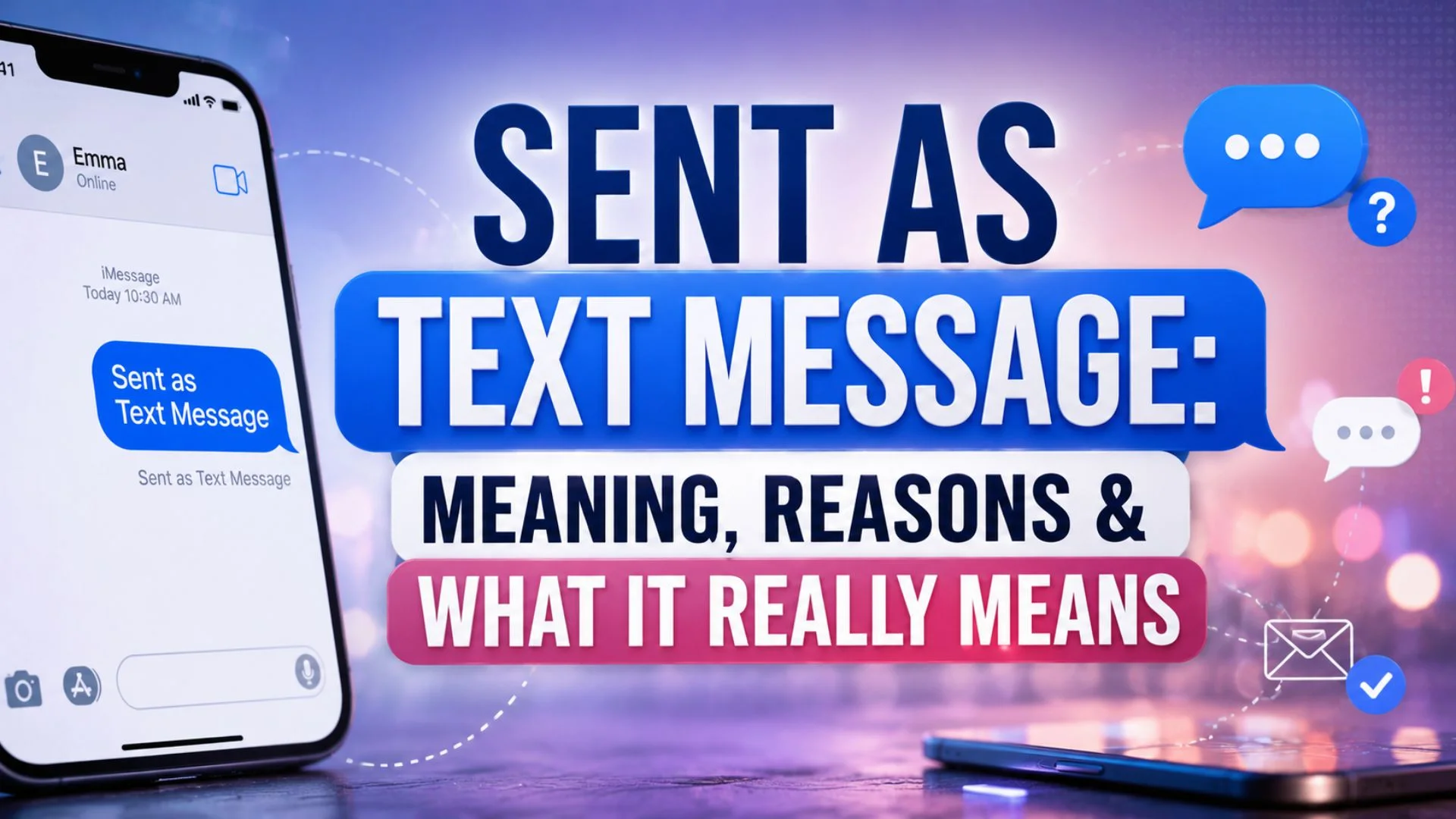
Sent as text message usually means your phone delivered a message through your carrier’s regular SMS service. You may see this phrase after sending a message when an internet-based messaging service is unavailable. It can also appear when the recipient cannot receive messages through that service. Therefore, the status does not usually mean something went wrong. Instead, it tells you which messaging system handled the message. Understanding this difference can help you know whether your message used mobile data, Wi-Fi, or your cellular network. It can also explain why the message bubble, color, delivery status, or available features look different. In this guide, you will find simple explanations, common wording, useful alternatives, and practical examples. You will also learn why this status appears and what you should do when it keeps showing up.
The phrase can feel confusing because different phones use different labels. For example, an iPhone may switch from iMessage to SMS when certain conditions change. Android devices can also use different messaging systems depending on the phone, carrier, and messaging app. Meanwhile, features such as read receipts, typing indicators, high-quality media, and reactions may depend on the messaging service. So, seeing sent as text message does not automatically indicate that someone blocked you or ignored you. It usually describes the technical route used for your message. The sections below break down the meaning in plain language. You will also find alternative phrases, examples, and answers to common questions. That makes the guide useful whether you are troubleshooting your phone or simply trying to understand the status.
Does Sent as Text Message Mean Your Message Was Sent?
Sent as text message means your phone sent the message through SMS or another carrier-based text service. It usually happens when an internet messaging option cannot send the message.
The message may still reach the recipient normally. However, some advanced messaging features may not work through SMS.
Sent as Text Message Meaning in Simple Words
This phrase tells you that your phone used a regular text message instead of an internet-based service. The wording can vary between phones and messaging apps.
Here are common labels and wording that describe the same basic idea.
- Sent by SMS
- Sent via SMS
- Sent as SMS
- SMS message sent
- Text message sent
- Message sent by carrier
- Sent through mobile network
- Sent through cellular service
- Sent over SMS
- Carrier text sent
- Standard text sent
- Regular text sent
- Mobile text sent
- SMS delivered
- Text sent successfully
- Message transmitted
- Message sent normally
- Cellular message sent
- Wireless text sent
- Standard SMS delivered
- SMS transmission complete
- Carrier message delivered
- Mobile message transmitted
- Text transmission complete
- Message sent through network
- Sent through carrier
- Sent using SMS
- Sent through cellular network
- Standard messaging used
- SMS delivery used
- Text service used
- Carrier messaging used
- Mobile SMS sent
- Network text sent
- Standard carrier text
- SMS route selected
- Text sent over carrier
- Carrier text transmission
- Mobile text transmission
- SMS route completed
- Text message transmitted
- Wireless SMS sent
- Standard SMS transmission
- Cellular text transmission
Sent as Text Message on iPhone
On an iPhone, this status often appears when iMessage cannot handle the message. Your phone may then send the message as a regular SMS through your mobile carrier.
The exact behavior depends on your settings, network connection, and the recipient’s device.
- iMessage unavailable
- SMS fallback
- Text fallback
- Carrier fallback
- SMS instead
- Text instead
- Standard SMS
- Regular SMS
- Carrier SMS
- Mobile SMS
- SMS delivery
- Text delivery
- Carrier delivery
- Cellular delivery
- Standard text
- Mobile text
- SMS transmission
- Text transmission
- Carrier transmission
- Wireless transmission
- Cellular transmission
- SMS route
- Text route
- Carrier route
- Mobile route
- SMS service
- Text service
- Carrier service
- Cellular service
- SMS connection
- Text connection
- Mobile connection
- Carrier connection
- SMS fallback route
- Standard text route
- Carrier text route
- Mobile text route
- SMS message route
- Text message route
- Cellular message route
- Standard carrier message
- Mobile carrier message
- SMS carrier message
Sent as Text Message on Android
Android phones can display different statuses because manufacturers and messaging apps use different systems. A message may switch from an internet-based service to SMS when the preferred service cannot complete delivery.
Therefore, the wording does not have one universal meaning across every Android device.
- Android SMS
- Android text
- SMS fallback
- Carrier SMS
- Standard SMS
- Mobile SMS
- Text fallback
- Carrier text
- Standard text
- Cellular text
- SMS delivery
- Text delivery
- Mobile delivery
- Carrier delivery
- SMS transmission
- Text transmission
- Mobile transmission
- Carrier transmission
- Cellular transmission
- SMS service
- Text service
- Mobile service
- Carrier service
- SMS route
- Text route
- Mobile route
- Carrier route
- Cellular route
- SMS connection
- Text connection
- Mobile connection
- Carrier connection
- Standard messaging
- Carrier messaging
- Mobile messaging
- SMS messaging
- Text messaging
- Cellular messaging
- Network messaging
- Carrier message
- Mobile message
- SMS message
- Standard carrier text
Sent as Text Message When iMessage Is Off
If iMessage is unavailable or disabled, an iPhone may send messages through SMS instead. This change can happen because of settings, network conditions, or the recipient’s messaging setup.
The result is a regular carrier text rather than an iMessage conversation.
- iMessage off
- SMS enabled
- Text fallback
- SMS fallback
- Carrier texting
- Standard texting
- Regular texting
- Mobile texting
- SMS texting
- Carrier SMS
- Standard SMS
- Regular SMS
- Mobile SMS
- Cellular SMS
- SMS messaging
- Carrier messaging
- Standard messaging
- Mobile messaging
- Text messaging
- Cellular messaging
- SMS service
- Carrier service
- Mobile service
- Text service
- Cellular service
- SMS delivery
- Carrier delivery
- Text delivery
- Mobile delivery
- Standard delivery
- SMS transmission
- Carrier transmission
- Text transmission
- Mobile transmission
- Cellular transmission
- SMS route
- Carrier route
- Text route
- Mobile route
- Standard text route
- Cellular text route
- SMS message route
- Carrier message route
- Mobile message route
Sent as Text Message Without Internet
A regular SMS does not require Wi-Fi or mobile data in the same way an internet messaging service does. Your phone can use the cellular network to send the message.
That makes SMS useful when an internet connection is unavailable or unreliable.
- Offline SMS
- Cellular SMS
- Carrier SMS
- Standard SMS
- Regular text
- Mobile text
- SMS text
- Carrier text
- Cellular text
- Standard message
- Mobile message
- SMS message
- Text message
- Carrier message
- Wireless text
- Cellular message
- SMS delivery
- Text delivery
- Carrier delivery
- Mobile delivery
- Standard delivery
- SMS transmission
- Text transmission
- Carrier transmission
- Cellular transmission
- Mobile transmission
- SMS service
- Text service
- Carrier service
- Cellular service
- Mobile service
- SMS route
- Text route
- Carrier route
- Cellular route
- Mobile route
- Standard SMS route
- Carrier text route
- Mobile text route
- Cellular text route
- SMS network message
- Carrier network message
- Mobile network text
- Standard carrier text
Sent as Text Message Instead of iMessage
When an iPhone sends a message as text instead of iMessage, the message usually travels through the carrier’s SMS network. This can happen for several technical or account-related reasons.
It does not automatically tell you anything about the recipient’s feelings or intentions.
- SMS instead
- Text instead
- SMS fallback
- Text fallback
- Carrier fallback
- Standard SMS
- Regular SMS
- Carrier SMS
- Mobile SMS
- Cellular SMS
- Standard text
- Regular text
- Carrier text
- Mobile text
- Cellular text
- SMS messaging
- Text messaging
- Carrier messaging
- Mobile messaging
- Cellular messaging
- SMS delivery
- Text delivery
- Carrier delivery
- Mobile delivery
- Cellular delivery
- SMS transmission
- Text transmission
- Carrier transmission
- Mobile transmission
- Cellular transmission
- SMS service
- Text service
- Carrier service
- Mobile service
- Cellular service
- SMS route
- Text route
- Carrier route
- Mobile route
- Cellular route
- Standard carrier route
- SMS message route
- Text message route
- Carrier message route
- Mobile message route
- Cellular message route
Sent as Text Message After iMessage Fails
Your phone may switch to SMS after an iMessage attempt fails. This fallback can help the message reach the recipient through a traditional cellular network.
However, the exact fallback behavior depends on your device and messaging settings.
- iMessage failed
- SMS fallback
- Text fallback
- Carrier fallback
- SMS retry
- Text retry
- Carrier retry
- Mobile retry
- SMS resend
- Text resend
- Carrier resend
- Mobile resend
- Standard SMS
- Regular SMS
- Carrier SMS
- Mobile SMS
- Cellular SMS
- SMS delivery
- Text delivery
- Carrier delivery
- Mobile delivery
- SMS transmission
- Text transmission
- Carrier transmission
- Mobile transmission
- Cellular transmission
- SMS route
- Text route
- Carrier route
- Mobile route
- Cellular route
- SMS service
- Text service
- Carrier service
- Mobile service
- Cellular service
- SMS message
- Text message
- Carrier message
- Mobile message
- Cellular message
- Standard carrier message
- SMS fallback route
- Carrier fallback route
- Mobile text route
- Standard SMS route
Sent as Text Message When Someone Has No Internet
SMS can work without an active internet connection. Therefore, your phone may use it when either side cannot use an internet-based messaging service.
The message still depends on cellular coverage and carrier service.
- No internet SMS
- Offline text
- Carrier text
- Cellular text
- Standard text
- Regular text
- SMS message
- Mobile message
- Carrier message
- Wireless message
- SMS delivery
- Text delivery
- Carrier delivery
- Mobile delivery
- Cellular delivery
- SMS transmission
- Text transmission
- Carrier transmission
- Mobile transmission
- Cellular transmission
- SMS service
- Text service
- Carrier service
- Mobile service
- Cellular service
- SMS route
- Text route
- Carrier route
- Mobile route
- Cellular route
- Standard SMS
- Regular SMS
- Carrier SMS
- Mobile SMS
- Cellular SMS
- Offline SMS
- Network SMS
- Carrier network text
- Mobile network text
- Cellular network text
- Standard carrier text
- SMS network message
- Carrier network message
- Mobile SMS message
- Cellular SMS message
Sent as Text Message After Changing Phones
Changing phones can affect which messaging service handles your conversations. For example, a number may need to update its messaging registration before internet-based messages work normally.
During that transition, your device may temporarily use SMS.
- New phone SMS
- Phone change text
- Carrier text
- SMS fallback
- Text fallback
- Mobile text
- Standard SMS
- Regular SMS
- Carrier SMS
- Cellular SMS
- SMS delivery
- Text delivery
- Mobile delivery
- Carrier delivery
- Cellular delivery
- SMS transmission
- Text transmission
- Mobile transmission
- Carrier transmission
- Cellular transmission
- SMS messaging
- Text messaging
- Mobile messaging
- Carrier messaging
- Cellular messaging
- SMS service
- Text service
- Mobile service
- Carrier service
- Cellular service
- SMS route
- Text route
- Mobile route
- Carrier route
- Cellular route
- New device message
- Phone migration text
- Device change SMS
- Number registration text
- Carrier registration SMS
- Mobile registration text
- Standard carrier message
- SMS transition message
- Text transition message
Sent as Text Message When a Contact Changes Devices
A contact switching between devices can sometimes change how your messaging app communicates. The phone may recognize that the preferred messaging service is unavailable.
As a result, the conversation can temporarily use SMS.
- Device change SMS
- New device SMS
- Contact change text
- Carrier text
- Mobile text
- Standard text
- SMS text
- Carrier SMS
- Mobile SMS
- Cellular SMS
- Regular SMS
- Standard SMS
- SMS delivery
- Text delivery
- Carrier delivery
- Mobile delivery
- Cellular delivery
- SMS transmission
- Text transmission
- Carrier transmission
- Mobile transmission
- Cellular transmission
- SMS service
- Text service
- Carrier service
- Mobile service
- Cellular service
- SMS route
- Text route
- Carrier route
- Mobile route
- Cellular route
- Device transition SMS
- Device transition text
- Contact transition text
- New phone text
- New device message
- Carrier message
- Mobile message
- Cellular message
- SMS message
- Standard carrier message
- Mobile carrier message
- SMS network message
- Carrier network message
- Text network message
Sent as Text Message When the Recipient Uses Android
An iPhone can use SMS when messaging an Android phone. The exact status depends on the messaging system, carrier, and phone configuration.
In many cases, this simply means the message used traditional texting.
- Android recipient SMS
- Android text
- Carrier text
- Mobile text
- Standard text
- SMS message
- Regular SMS
- Carrier SMS
- Mobile SMS
- Cellular SMS
- SMS delivery
- Text delivery
- Carrier delivery
- Mobile delivery
- Cellular delivery
- SMS transmission
- Text transmission
- Carrier transmission
- Mobile transmission
- Cellular transmission
- SMS messaging
- Text messaging
- Carrier messaging
- Mobile messaging
- Cellular messaging
- SMS service
- Text service
- Carrier service
- Mobile service
- Cellular service
- SMS route
- Text route
- Carrier route
- Mobile route
- Cellular route
- Cross platform SMS
- Cross device text
- Android carrier text
- iPhone to Android text
- Mobile network text
- Standard carrier SMS
- Carrier network SMS
- Cellular network SMS
- SMS network message
- Standard mobile message
- Cross platform message
Sent as Text Message Troubleshooting Terms
If this status appears repeatedly, checking your network, messaging settings, and carrier service can help. You should also confirm that the recipient’s number is correct.
These simple labels describe common troubleshooting situations.
- SMS troubleshooting
- Text troubleshooting
- Carrier troubleshooting
- Mobile troubleshooting
- Messaging troubleshooting
- SMS connection
- Text connection
- Carrier connection
- Mobile connection
- Cellular connection
- SMS settings
- Text settings
- Messaging settings
- Carrier settings
- Mobile settings
- Network settings
- SMS service
- Text service
- Carrier service
- Mobile service
- Cellular service
- SMS status
- Text status
- Carrier status
- Mobile status
- Messaging status
- SMS delivery
- Text delivery
- Carrier delivery
- Mobile delivery
- SMS failure
- Text failure
- Carrier failure
- Mobile failure
- SMS retry
- Text retry
- Carrier retry
- Mobile retry
- SMS fallback
- Text fallback
- Carrier fallback
- Mobile fallback
- Network text issue
- Cellular text issue
- Messaging network issue
- SMS network issue
- Carrier network issue
Sent as Text Message Status and Delivery Terms
A message status can describe whether your phone sent a message, delivered it, or failed to send it. These terms are not always interchangeable.
Learning the difference can make phone messaging much easier to understand.
- Sent SMS
- SMS sent
- Text sent
- Message sent
- Carrier sent
- Mobile sent
- SMS delivered
- Text delivered
- Message delivered
- Carrier delivered
- Mobile delivered
- SMS transmission
- Text transmission
- Message transmission
- Carrier transmission
- Mobile transmission
- SMS status
- Text status
- Message status
- Carrier status
- Mobile status
- SMS route
- Text route
- Message route
- Carrier route
- Mobile route
- SMS service
- Text service
- Message service
- Carrier service
- Mobile service
- SMS network
- Text network
- Message network
- Carrier network
- Mobile network
- Cellular message
- Cellular text
- Cellular SMS
- Standard message
- Standard text
- Standard SMS
- Regular message
- Regular text
- Regular SMS
- Carrier message
Sent as Text Message Examples You May See
Different phones and messaging apps can use slightly different wording. Still, many labels describe the same basic SMS process.
These examples can help you recognize the meaning when the wording changes.
- Sent as SMS
- Sent as text
- Sent by text
- Sent through SMS
- Sent through carrier
- Sent through mobile network
- Sent over cellular network
- Text sent
- SMS sent
- Text delivered
- SMS delivered
- Message sent
- Message delivered
- Carrier text sent
- Carrier SMS sent
- Mobile text sent
- Mobile SMS sent
- Standard text sent
- Standard SMS sent
- Regular text sent
- Regular SMS sent
- Cellular text sent
- Cellular SMS sent
- SMS transmission complete
- Text transmission complete
- Carrier transmission complete
- Mobile transmission complete
- Cellular transmission complete
- SMS delivery complete
- Text delivery complete
- Carrier delivery complete
- Mobile delivery complete
- Cellular delivery complete
- Standard message sent
- Regular message sent
- SMS message sent
- Text message sent
- Carrier message sent
- Mobile message sent
- Cellular message sent
- Network message sent
- Wireless message sent
- SMS route complete
- Text route complete
- Carrier route complete
- Mobile route complete
Why Does Sent as Text Message Appear?
Several situations can trigger this status. The most common reason involves the messaging service your phone normally prefers.
If an internet-based option cannot send the message, your phone may use SMS instead. This can happen because your internet connection is unavailable. It can also happen because the recipient uses a different messaging platform.
Another possibility involves messaging settings. Features such as SMS fallback can influence how your phone handles failed messages. Carrier service can also affect messaging behavior.
Importantly, the status does not automatically mean you have been blocked. It also does not prove that the recipient turned off their phone. Instead, focus on the technical message status shown by your device.
What Should You Do When It Keeps Showing?
Start by checking your cellular signal and internet connection. Then confirm that your messaging settings are enabled correctly.
If you use an iPhone, check whether iMessage is active. Also confirm that your phone number and Apple Account settings are correct. Android users should check their default messaging app and available messaging features.
Next, try sending a short message to another contact. If the problem affects only one person, their device or messaging setup may be involved. If every message switches to SMS, your own settings or network could be responsible.
You should also restart your phone. A simple restart can sometimes fix temporary messaging problems. If the issue continues, check your carrier’s service status or contact customer support.
Sent as Text Message vs iMessage
The biggest difference involves how the message travels. iMessage uses Apple’s internet-based messaging system, while SMS uses the cellular network.
iMessage can support features such as read receipts, typing indicators, reactions, and richer media. SMS has fewer features and can work without an internet connection.
Therefore, seeing sent as text message usually means your phone used SMS instead. That does not necessarily indicate a problem with your conversation.
FAQs About Sent as Text Message
What does sent as text message mean?
It means your phone sent the message through a standard text messaging service. The message did not travel through the preferred internet-based messaging system.
The exact reason depends on your phone, settings, network, and recipient.
Does sent as text message mean I was blocked?
No, this status does not prove that someone blocked you. Several normal technical reasons can cause a message to switch to SMS.
A poor connection, disabled messaging service, or different device can all cause this behavior.
Does sent as text message mean the message was delivered?
Not always. “Sent” generally means your phone transmitted the message to the messaging network.
Delivery depends on the carrier, recipient’s device, and network conditions.
Why did my iPhone send a message as text?
Your iPhone may use SMS when iMessage cannot send the message. The recipient may not have iMessage available, or your internet connection may be unavailable.
Your messaging settings can also affect this behavior.
Can a text message work without Wi-Fi?
Yes. Traditional SMS messages use a cellular network rather than Wi-Fi.
However, your phone still needs cellular coverage and an active texting service.
Does SMS have the same features as iMessage?
No. SMS generally offers fewer features than iMessage.
For example, advanced reactions, typing indicators, and some media features may not work the same way.
Why does my message keep switching to SMS?
Repeated switching can happen because of network problems, messaging settings, or service availability.
Check your connection and messaging settings first. If the issue continues, your carrier may need to help.
Should I worry if I see sent as text message?
Usually, there is no reason to worry. The status normally describes the messaging method rather than a problem with the recipient.
If messages consistently fail to arrive, then troubleshooting becomes worthwhile.
Conclusion
Understanding sent as text message becomes much easier once you know how SMS works. The phrase usually means your phone used a standard carrier-based texting service. It can appear when an internet messaging service is unavailable or when the recipient uses a different messaging system. Most importantly, this status does not automatically mean you were blocked or ignored. Instead, check your connection, messaging settings, and delivery status before assuming something went wrong. Whether you use an iPhone or Android phone, knowing the difference between SMS and internet messaging can save confusion. Once you understand the basic terms, sent as text message becomes a simple technical status rather than something mysterious.

Ethan Brooks is a content writer specializing in messages, wishes and modern communication trends. He creates simple, engaging, and relatable content that helps people express their thoughts and emotions in the best way possible.